Holobuild docs Building
Linked chests and materials
What you still need, and the chests Holobuild takes it from.
Linking chests
Holobuild only ever takes items from chests you've linked to your build, never from anyone else's chests that happen to be nearby.
- Sneak and use the wand on a chest to link it. Do it again to unlink it.
- Barrels and other containers work too. A double chest counts as one.
- While you hold the wand, linked chests have a green outline.
- Linked chests are used however far away they are, as long as someone is close enough to keep that area loaded. The Printer and What do I need? screens say if any are out of reach.
- Unlink all chests in What do I need? unlinks them all at once.

What do I need?
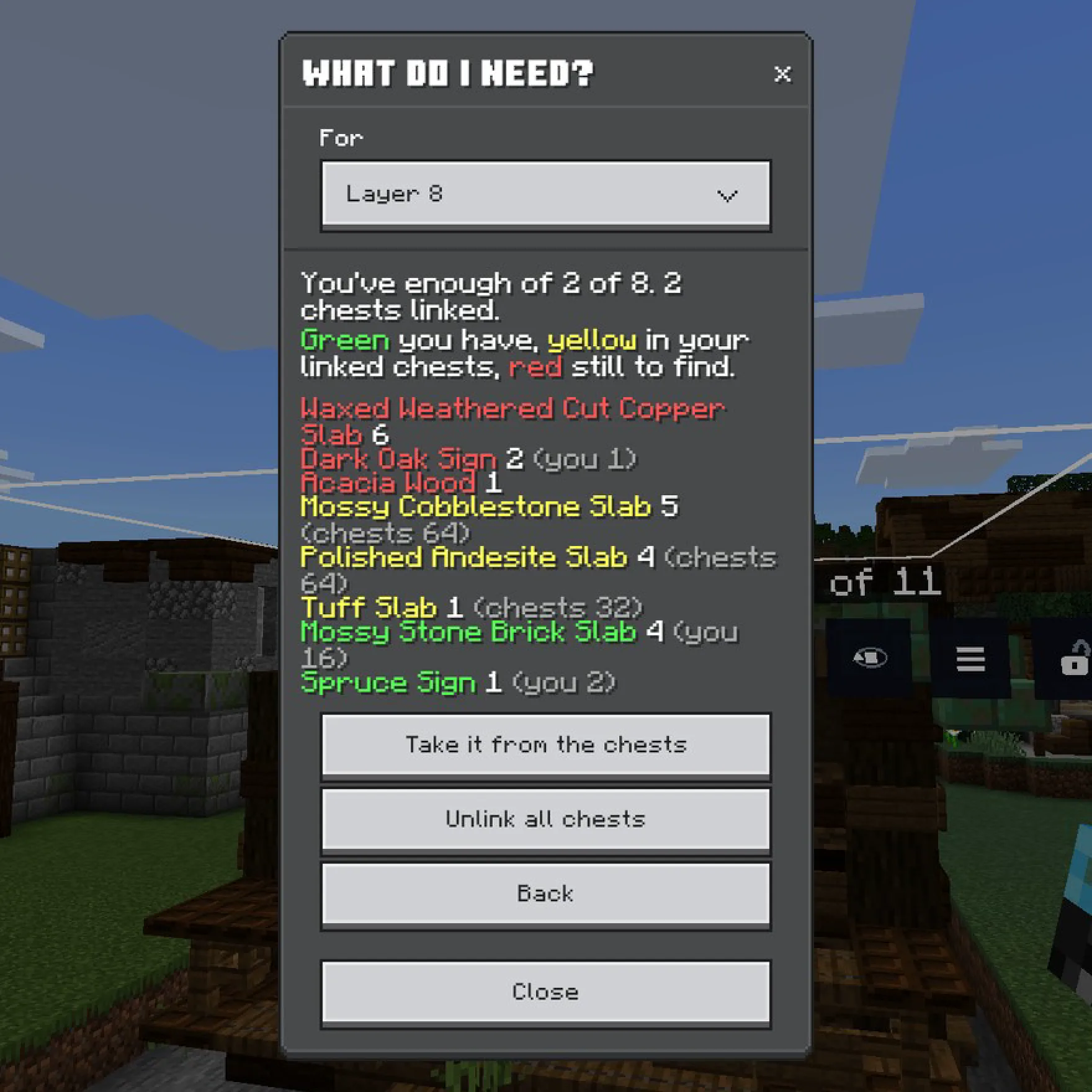
Choose What do I need? on the menu. It lists the blocks still to place, for your layer or the whole build, in colour:
- Red: you still need to find them.
- Aqua: a friend building with you has them.
- Yellow: they're in your linked chests.
- Green: you have enough.
Take it from the chests puts what you're missing from your linked chests into your inventory.
The wand on a chest
Use the wand on a linked chest, without sneaking, and what your layer still needs comes out of it into your inventory. A chest that isn't linked just opens as usual.
Refill from chests
Turn on Refill from chests in Settings. When you run out of a block your layer needs, up to a stack comes out of your linked chests. It works in survival; in creative you never run out.
If it's missing
Operators can turn each of these off for the world in Admin settings. If a button or setting isn't there, that's probably why.
Haven't got Holobuild yet? It's free on CurseForge, for single player, servers and Realms.
Get Holobuild