What's in Settings
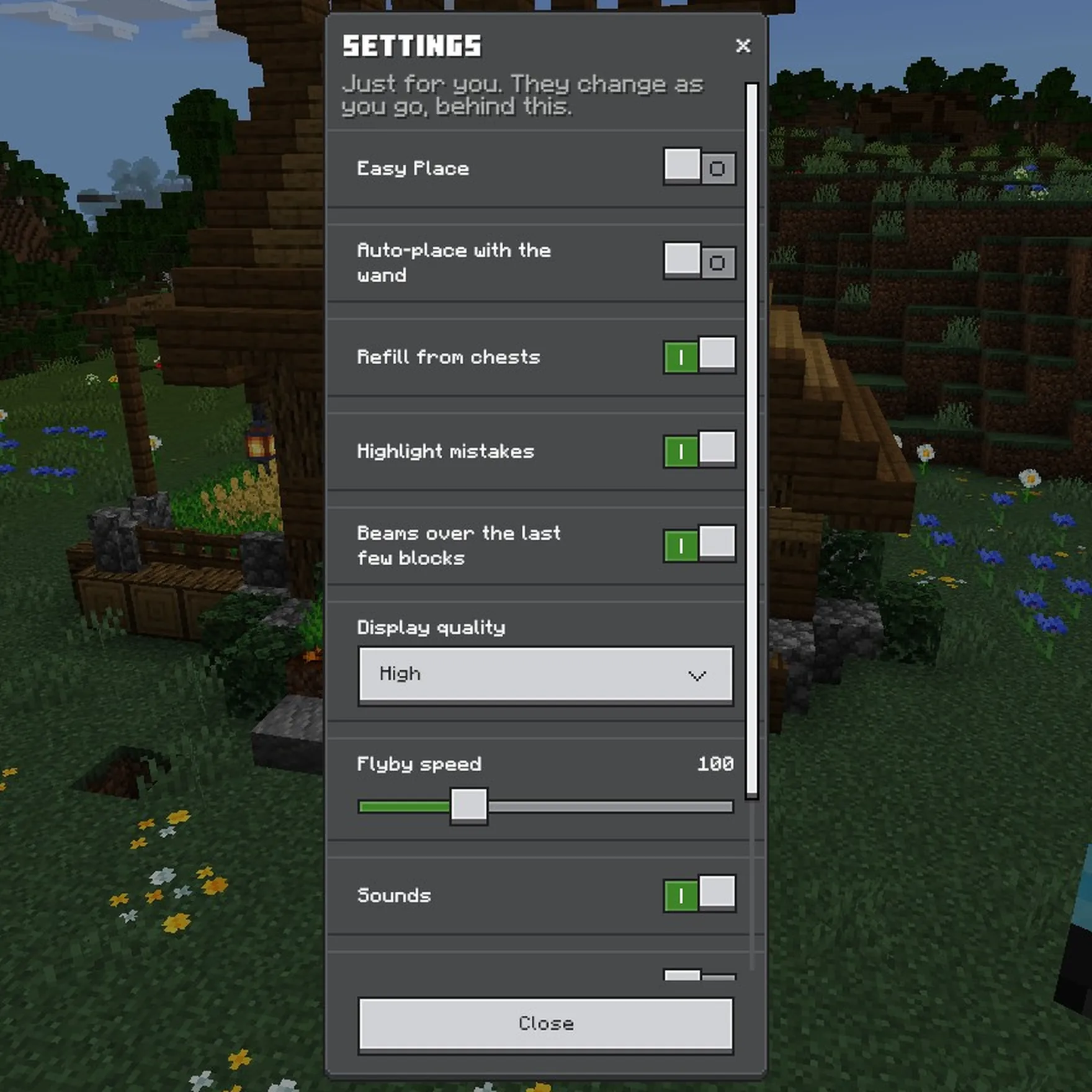
- Easy Place and Auto-place with the wand: see Easy Place, Auto-place and Pick block.
- Refill from chests: see Linked chests.
- Highlight mistakes: the red, orange and purple boxes round blocks that don't match. Turn it off to hide them. See What the colours mean.
- Beams over the last few blocks: light beams over the last blocks of a layer.
- Display quality: see below.
- Flyby speed: how fast the camera flies round a build. 100 is normal, 200 twice as fast.
- Sounds: clicks as you move a copy, and a chime when a layer's done.
- Show server speed (operators only): how fast the world is running, in the side panel.
Your settings only change things for you, and they're kept for next time. Hover over one in game to see what it does.
Display quality
Low, Medium or High. It sets how far your layer's ghosts reach, how many there are, and how much of a preview or the other layers shows in real shapes.
- Higher shows more of a big build.
- Lower helps on slower devices.
- Small builds always show every block in full.
Haven't got Holobuild yet? It's free on CurseForge, for single player, servers and Realms.
Get Holobuild