
Holobuild docs Getting started
What Holobuild is
Save any build as a blueprint, then build copies of it anywhere, guided by ghost blocks.
What it does
Holobuild is an add-on for Minecraft Bedrock. You save a build as a blueprint, then build copies of it wherever you like.
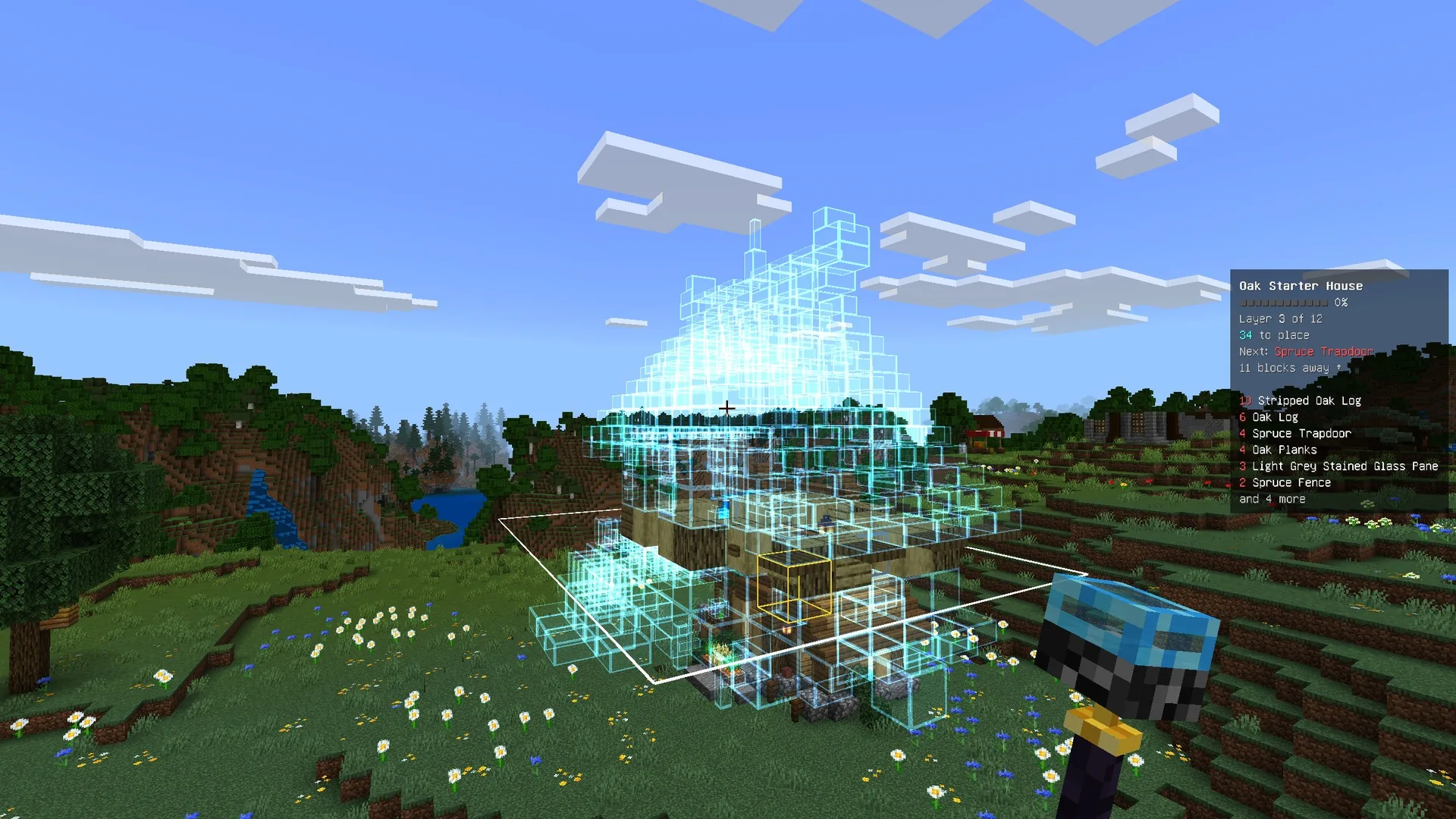
A copy shows up as ghost blocks: see-through blocks in their real shapes and textures, floating exactly where each one goes. You build it one layer at a time. Place real blocks in the ghosts, and when a layer's done the next one appears.
- Build it by hand, or let Holobuild help: Easy Place, Auto-place and Pick block, or the Printer, which builds it for you.
- Build alone or with friends. Everyone who helps is named when it's done.
- Five starter blueprints come with it, so you can try it straight away.
Who it's for
- Builders who want to copy a build they love, or rebuild it somewhere else.
- Friends on a server or Realm building something big together.
- Server owners who want to share builds with their players, or bring in builds from Java Edition tools like Litematica and WorldEdit (through BedrockRelay).
Where it works
- Single-player worlds, dedicated servers and Realms.
- It needs Minecraft Bedrock 1.26.60 or newer.
- No experimental toggles, and no cheats. Holobuild only uses the parts of Minecraft that are finished, so it works on Realms and on any host.
- Consoles (Xbox, PlayStation, Switch) can't import it into their own worlds. See Installing.
- It speaks 29 languages, and uses your game's language.
The Guidebook in game
Everything on this site is in the game too. Open the menu and choose Guidebook: a chapter for each part, with a list of pages and a Next button to read straight through.
Haven't got Holobuild yet? It's free on CurseForge, for single player, servers and Realms.
Get Holobuild