Holobuild docs Blueprints
Blueprint files
Builds from files, and blueprints out as files, through BedrockRelay.
Where to do it
- A single-player world: the link page on this site. See The link page.
- A dedicated server or a Realm connected to BedrockRelay: the Blueprints tab on that world's page in the BedrockRelay dashboard. It lists the world's blueprints, downloads them, and takes uploads.
Not using BedrockRelay? You can still bring in Bedrock .mcstructure files: see Your own structure files.
A blueprint that comes in shows up in Blueprints in game straight away, and operators are told in chat.
Which files
- .mcstructure: Bedrock's own structure files, including the newer compressed ones.
- .litematic: from Litematica.
- .schem and .schematic: from WorldEdit and similar tools.
- .nbt: Java Edition structure files.
Java blocks are changed into the Bedrock blocks that match. A few Java blocks have no Bedrock version: those are left out, and listed so you know what's missing.
Downloads come out as .mcstructure.
Builds bigger than 64
A blueprint can be at most 64 blocks across, but you can upload builds up to 256 across and 64 high. A wider build is cut into even pieces, each its own blueprint, named like Castle 1 of 4, Castle 2 of 4 and so on.
- Pieces that would be completely empty are skipped.
- Build the pieces next to each other, like a jigsaw. For now each piece is placed on its own, so line them up yourself.
- A world keeps up to 40 blueprints. If there isn't room for every piece, the upload is refused and says how many it needs.
The link page
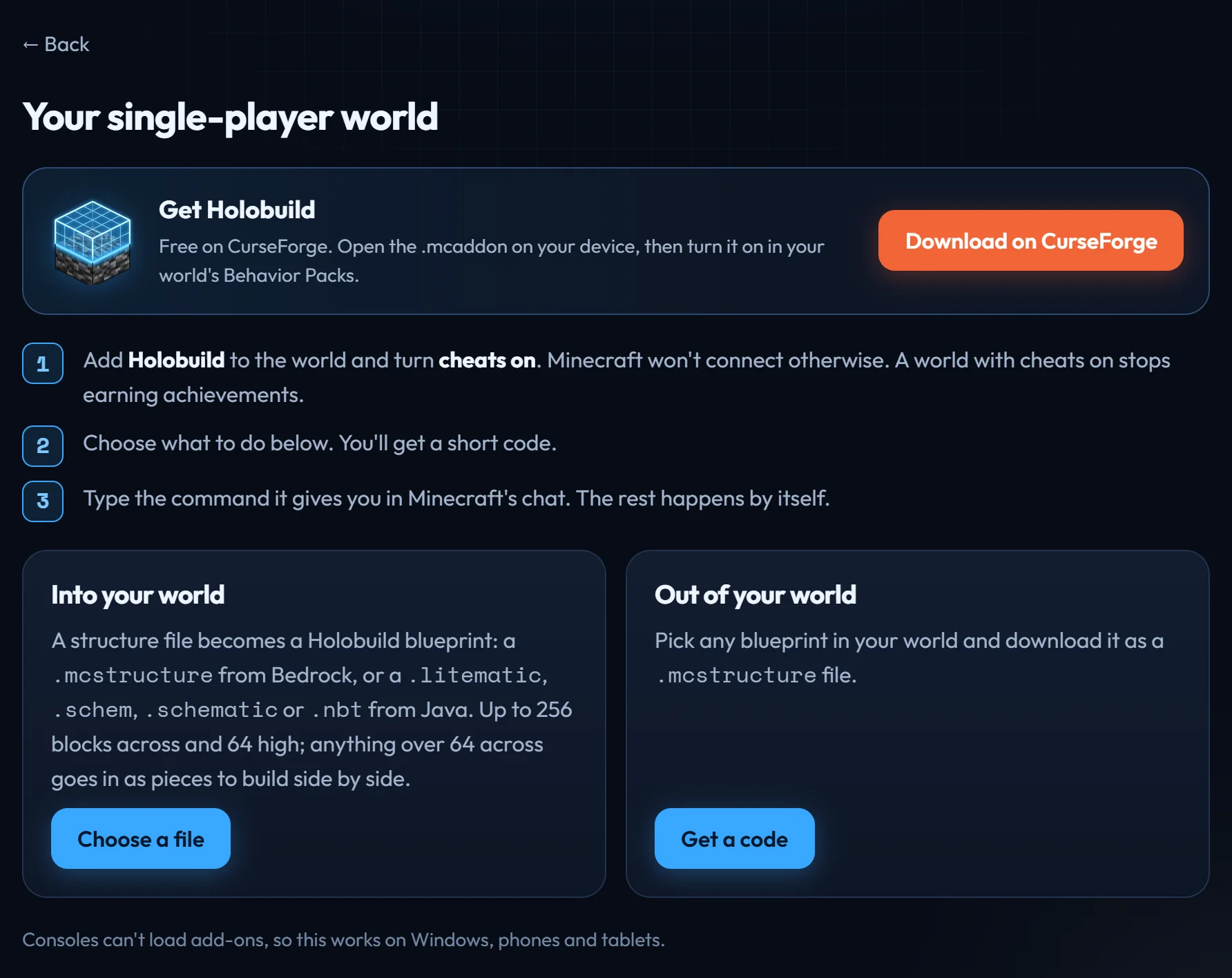
For single-player worlds, which BedrockRelay can't connect to. It uses the game's own /connect command, so it works on Windows, phones and tablets.
- Add Holobuild to the world and turn on cheats.
/connectneeds them, and Minecraft then stops that world earning achievements. - On this site's start page, choose A single-player world.
- To bring a build in, press Choose a file under Into your world. To take a blueprint out, press Get a code under Out of your world.
- The page shows a command with a five-letter code, like
/connect holobuild.bedrockrelay.com:8790/ABCDE. Press Copy, then type it in the game's chat. - The rest happens by itself. Bringing a build in, the game says when it's in your blueprints, then disconnects. Taking one out, choose the blueprint on the page and press Download when the file is ready.
- You can switch to the game while the page waits: it catches up when you come back. On a phone, the page and the game don't need to be open at once.
- A code works once, for 15 minutes. If Minecraft says Could not connect, type the same command again.
- Files are only passed through. Nothing you upload is kept.
Haven't got Holobuild yet? It's free on CurseForge, for single player, servers and Realms.
Get Holobuild